
Nani
Nani empowers creators with seamless AI image generation, organizing prompts and images into reusable sets for.
Visit
About Nani
Nani is an innovative workflow tool specifically designed to transform the experience of AI image generation for professionals engaged in regular and repetitive tasks. Unlike conventional AI image tools that focus on one-time creations, Nani streamlines the entire image generation process, enabling users to avoid the tediousness of rewriting prompts and navigating through countless image feeds. Powered by Google's cutting-edge Nano Banana Pro (Gemini), Nani serves as a comprehensive solution tailored for artists, designers, and content creators seeking to supercharge their creative workflows. The platform's user-friendly interface ensures that creators can generate stunning images quickly, while unique features such as reusable prompt sets and organized folders maintain efficiency and consistency throughout the creative process. With Nani, you can dedicate more energy to your artistry and less to managing the logistics of image generation, making it an essential tool for anyone looking to elevate their creative output.
Features of Nani
Supercharged Image Generation
Nani leverages the advanced capabilities of the Nano Banana Pro to allow users to type a prompt and generate striking images in mere seconds. It supports customizable aspect ratios and resolutions, ensuring that every creation aligns with user specifications. Plus, there are no visible watermarks, allowing for a professional presentation of the final products.
Reusable Prompt Sets
With Nani's reusable prompt sets feature, users can group images and save prompts for future use. This capability is essential for maintaining consistent characters, styles, and workflows across multiple generations, ultimately enhancing the creative process and ensuring brand consistency.
Organized Library Management
Nani includes sophisticated tools for organizing your image library. Users can create folders, filter by favorites, and bulk-select images, ensuring that their collections remain tidy and easily navigable. This organization is crucial for scaling workflows and efficiently managing large volumes of images.
Seamless Collaboration
Nani fosters collaboration through its drag-and-drop functionality, allowing users to easily reference images, share creations via public links, and enable others to recreate works in their own accounts. This feature enhances teamwork, making it simpler for groups and clients to engage in the creative process together.
Use Cases of Nani
Consistent Branding for Businesses
Businesses can utilize Nani to maintain brand consistency by using reusable prompt sets for marketing materials. This ensures that all visuals align with the brand’s guidelines and messaging, leading to a cohesive visual identity across platforms.
Rapid Prototyping for Designers
Graphic designers can take advantage of Nani's quick image generation capabilities to create rapid prototypes. By generating multiple iterations of a design in seconds, they can explore various concepts and gather feedback more efficiently.
Content Creation for Social Media
Content creators focused on social media can use Nani to effortlessly produce engaging visuals tailored for different platforms. The ability to customize aspect ratios and resolutions means that they can quickly adapt their content to meet the specifications of each platform.
Educational Resources for Teachers
Educators can leverage Nani to generate visually appealing resources such as presentations, worksheets, or infographics. This allows them to engage students more effectively, enhancing the learning experience through dynamic and customized visuals.
Frequently Asked Questions
How does Nani enhance the image generation process?
Nani simplifies the image generation process by allowing users to create images quickly through reusable prompts and organized libraries, which saves time and enhances creativity.
What kind of users can benefit from Nani?
Nani is designed for a diverse range of users including artists, designers, marketers, educators, and content creators who require efficient and effective image generation for their projects.
Is there a cost associated with using Nani?
Nani operates on a credit-based billing system, where users pay only for what they generate, with no subscriptions or commitments required. This ensures flexibility and affordability.
Can I collaborate with others using Nani?
Yes! Nani facilitates collaboration by enabling users to share their creations through public links and allowing others to recreate the work in their own accounts, promoting teamwork and shared creativity.
Explore more in this category:
Similar to Nani
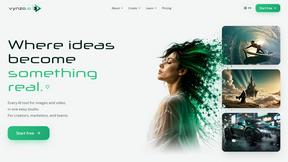
Vynzo
AI image and video studio. Generate from a prompt, animate stills, swap faces, restyle clips and edit — one credit pool, no subscription.
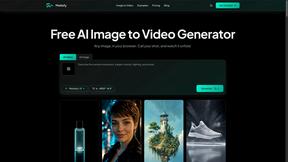
Motiofy
Motiofy is an AI creative workspace that helps creators and teams turn ideas into polished visual stories.
Speechyou
AI transcription for voice notes, meetings, and audio files in 1,700 languages, with AI summaries and subtitle export and unlimited chat ai usage.
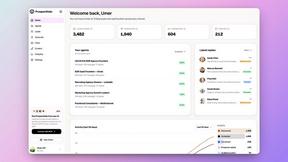
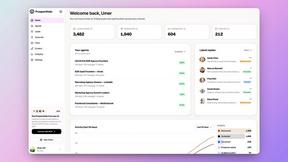
ProspectHalo
AI sales agent that finds qualified leads, runs outreach, follows up automatically, creates content, and helps book more meetings.
benchmark.directory
146 AI tools across 20 categories, indexed by the job they do. Every listing earned its place. None of them paid for it.
saasgrow.ai
Find SaaS growth tools worth your time. Every tool is reviewed before it's listed, so the shortlist is already made for you.
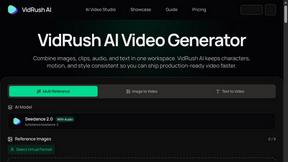
VidRush AI
AI-powered long video generator. Create multi-modal AI videos by combining images, video, audio, and text.
Tools Network
Tools Network is a curated directory of the best AI tools across 25+ categories. Compare ratings, pricing, and features to find the right one, fast.