
Gleem.AI Studio
Gleem.AI Studio streamlines your creative process, enabling effortless image generation, editing, and avatar creation.
Visit
About Gleem.AI Studio
Gleem.AI Studio is an innovative AI image workspace designed to streamline the creative process for marketers, creators, and small teams. This unified platform eliminates the need for juggling multiple tools for image generation, editing, and revisions, allowing users to focus on creativity instead of technical configurations. With Gleem.AI Studio, creators can generate stunning visuals from text prompts, edit images with AI assistance, and manage projects all within a single, intuitive interface. This reduces the complexity often associated with graphic design, enabling faster iterations and seamless workflows. By providing comprehensive features like text-to-image generation, AI image editing, and avatar creation, Gleem.AI Studio empowers users to produce consistent and engaging visuals quickly and efficiently, making it an essential tool for anyone looking to enhance their visual content creation.
Features of Gleem.AI Studio
Text-to-Image Generator
Gleem.AI Studio's text-to-image generator allows users to transform their ideas into beautiful visuals effortlessly. By simply inputting their vision in natural language, users can create images in various sizes while the platform’s Prompt Enhance feature refines their words for optimal results.
AI Image Editing
With the integrated AI image editing capabilities, users can make adjustments without leaving the platform. Add or remove objects, modify poses, apply filters, and restore old images all within one intuitive editor, simplifying the editing process for everyone.
AI Avatars
Create and personalize AI avatars to integrate into any scene, all without the need for another photoshoot. Users can adjust poses, try on outfits, and explore numerous creative possibilities, making avatar generation both versatile and exciting.
Project Management
Gleem.AI Studio provides dedicated spaces for each project, keeping all saved prompts, edits, and versions organized. This feature enhances accessibility and ensures that users can easily build upon their previous work, facilitating faster and more efficient creative processes.
Use Cases of Gleem.AI Studio
Marketing Campaigns
Marketers can leverage Gleem.AI Studio to create stunning visuals for campaigns, social media posts, and promotional materials. The streamlined workflow enables rapid iterations, allowing for creative exploration and quick adjustments based on feedback.
Content Creation for Social Media
Content creators can utilize the platform to generate eye-catching images and graphics tailored for various social media platforms. With the text-to-image generator and AI editing features, they can produce engaging visuals that captivate their audience.
Product Visualization
Small teams and entrepreneurs can use Gleem.AI Studio to design professional product images that enhance their brand presence. The ability to create and edit images in one place allows for quick adaptations to showcase products in unique ways.
Creative Projects
Artists and designers can explore their creativity without the constraints of complicated software. By using AI avatars and image editing tools, they can experiment with different styles and ideas, ultimately producing unique and compelling artwork.
Frequently Asked Questions
What types of users can benefit from Gleem.AI Studio?
Gleem.AI Studio is designed for marketers, content creators, small teams, and anyone looking to produce high-quality visuals quickly and efficiently without the need for extensive technical knowledge.
How does the text-to-image generation work?
Users input their ideas in plain language, and the platform's AI processes these prompts, generating corresponding images. The Prompt Enhance feature further refines these prompts for improved outcomes.
Can I edit images after generating them?
Yes, Gleem.AI Studio allows users to edit images directly after generation. You can add or remove elements, adjust poses, and apply various filters all within the same workspace.
Is there a limit to the number of projects I can manage?
Gleem.AI Studio provides dedicated spaces for each project, allowing users to maintain multiple projects simultaneously. There is no stated limit, ensuring flexibility in managing creative workflows.
Explore more in this category:
Similar to Gleem.AI Studio
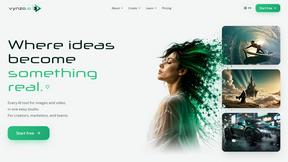
Vynzo
AI image and video studio. Generate from a prompt, animate stills, swap faces, restyle clips and edit — one credit pool, no subscription.

SubmitMap
A directory of launch platforms: who each accepts, what disqualifies you, and how to submit. Free to read, and your agent can do the submitting.
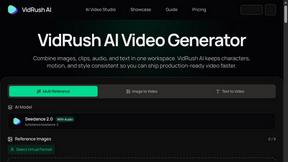
VidRush AI
AI-powered long video generator. Create multi-modal AI videos by combining images, video, audio, and text.
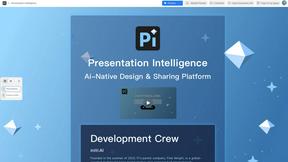
Presentation Intelligence
AI-native presentation and visual content platform that turns prompts, documents, images, videos, and data into polished, shareable decks.


Try This Skill
One-click AI photo stylization for e-commerce & portraits
Text Logo
Create custom text, wordmark, and typography logos with editable fonts, colors, icons, shapes, and flexible exports.