claude-ide
Transform your coding experience with Claude IDE, the AI assistant that accelerates development directly in your.
Visit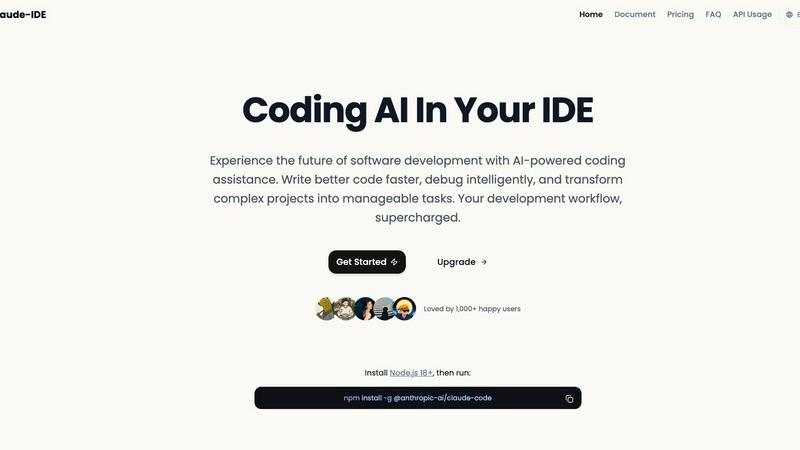
About claude-ide
Claude IDE is an innovative AI-powered development environment that transforms the way developers code. By seamlessly integrating the advanced Claude Sonnet 4.5 model directly into popular tools like VS Code and JetBrains, it brings intelligent coding assistance right to your fingertips. Designed for a diverse audience, including solo developers, startup teams, students, and hobbyists, Claude IDE aims to enhance coding efficiency and productivity. Its primary value proposition lies in providing professional-grade coding support at an affordable price, democratizing access to advanced AI tools. Claude IDE comprehensively understands your entire codebase, enabling it to make coordinated changes across multiple files and deliver suggestions tailored to your project's specific architecture and dependencies. More than just a code completer, Claude IDE acts as a full-stack AI partner, capable of explaining intricate systems, intelligently debugging code, and breaking down ambitious project ideas into manageable tasks.
Features of claude-ide
Intelligent Code Understanding
Claude IDE possesses the ability to analyze and understand your entire codebase rather than just isolated snippets. This feature allows it to make coordinated changes across multiple files, ensuring that the suggestions it offers are relevant and aligned with the overall architecture and dependencies of your project.
Seamless Terminal Integration
By embedding itself directly into your terminal and favorite IDEs, Claude IDE eliminates the need for constant context switching. This seamless integration means you can access advanced AI features without leaving your preferred development environment, allowing for a more fluid and efficient coding experience.
Automated Code Familiarization
Claude IDE can quickly familiarize itself with new codebases, analyzing and explaining their structure within seconds. This feature simplifies onboarding processes for new developers and helps teams save valuable time by automatically understanding project architecture without requiring manual context input.
Comprehensive Workflow Management
With deep integration into GitHub and GitLab, Claude IDE streamlines the entire development workflow. It allows developers to manage issues, write code, run tests, and submit pull requests all within the terminal, fostering a more efficient and cohesive development process.
Use Cases of claude-ide
Accelerated Onboarding for New Developers
When new team members join a project, Claude IDE can rapidly analyze the existing codebase and provide a comprehensive overview. This accelerates the onboarding process, enabling new developers to become productive much quicker than traditional methods would allow.
Enhanced Debugging Capabilities
With its intelligent debugging features, Claude IDE can identify issues within your code and suggest targeted fixes. This capability not only saves time but also reduces frustration, allowing developers to focus on building features rather than sifting through error logs.
Efficient Project Management
Claude IDE helps developers break down complex project requirements into manageable tasks. By transforming high-level ideas into actionable items, teams can maintain momentum and clarity throughout the development process.
Streamlined Collaboration
By integrating with version control systems and enabling seamless communication with team members, Claude IDE enhances collaboration. It allows multiple developers to work in harmony, ensuring that everyone is on the same page and can easily track progress and changes.
Frequently Asked Questions
What platforms does Claude IDE support?
Claude IDE supports major development environments such as VS Code and JetBrains, along with terminal integration, making it accessible across multiple platforms.
Do I need to be an experienced developer to use Claude IDE?
Not at all. Claude IDE is designed for developers of all skill levels, from beginners to seasoned professionals. Its intuitive interface and intelligent features make it easy for anyone to enhance their coding workflow.
How does Claude IDE understand my codebase?
Claude IDE utilizes the Claude Sonnet 4.5 model, which analyzes your entire codebase to understand its structure, dependencies, and architecture, ensuring that the suggestions it provides are contextually relevant.
Is there a trial version available for Claude IDE?
Yes, individuals can explore Claude IDE's features through a trial version, allowing them to evaluate its capabilities before committing to a subscription. This allows potential users to experience firsthand how it can enhance their coding practices.
Similar to claude-ide

Speechyou
AI transcription for voice notes, meetings, and audio files in 1,700 languages, with AI summaries and subtitle export and unlimited chat ai usage.

ProspectHalo
AI sales agent that finds qualified leads, runs outreach, follows up automatically, creates content, and helps book more meetings.

benchmark.directory
146 AI tools across 20 categories, indexed by the job they do. Every listing earned its place. None of them paid for it.

saasgrow.ai
Find SaaS growth tools worth your time. Every tool is reviewed before it's listed, so the shortlist is already made for you.

Tools Network
Tools Network is a curated directory of the best AI tools across 25+ categories. Compare ratings, pricing, and features to find the right one, fast.


Built2WinWeb AI SEO
Custom PHP websites, AI Indexing Pack ($599 one‑time), and WebAgentScan SaaS ($9/mo). MCP, A2A, llms.txt, full ownership.