AI Email Writer
Fly Email AI generates professional emails in seconds with 13 free tools, no signup needed, across web, iOS, and Android.
Visit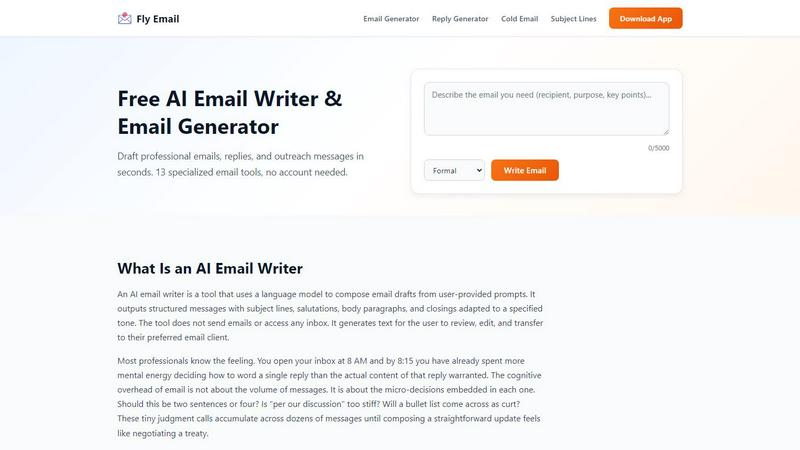
About AI Email Writer
Fly Email AI is a freemium, multi-platform AI email writer that fundamentally shifts the way professionals approach their inboxes. It is not just another text generator; it is a cognitive productivity tool designed to eliminate the micro-decisions that drain mental energy from every email you write. By taking a short prompt and instantly generating a complete, structured email with a subject line, salutation, body, and closing, it solves the "starting problem" that slows down most people. The core value proposition is simple: editing is cognitively easier than composing. Fly Email AI puts words on the screen so your brain can switch from "generate mode" to "evaluate mode," making you faster and more effective. This tool is built for professionals, job seekers, founders, support teams, and students who need to reduce time spent drafting, rewriting, and polishing messages. It offers 13 specialized email tools for everything from cold outreach and follow-ups to apology emails and customer support responses. Users can select from four distinct tones—Formal, Friendly, Urgent, and Follow-Up—to match the context and recipient perfectly. The workflow is streamlined for speed: describe your situation, pick a tone, generate the draft, make it yours, and copy it into your preferred email client. Available on web, iOS, and Android, Fly Email AI is a Writing tool, an AI Assistant, and a Productivity & Management utility that helps you scale your communication without scaling your effort. It offers 10 free generations per day with no signup required, making it an accessible entry point for anyone looking to reclaim their time and mental bandwidth.
Features of AI Email Writer
13 Specialized Email Tools
Fly Email AI packs a full arsenal of 13 distinct generators and assistants, each purpose-built for a specific communication challenge. This is not a one-size-fits-all solution. You get an AI Email Generator for general drafts, a Reply Generator for responding to received messages, a Cold Email Generator for outreach, a Follow-Up Generator for persistent nudges, a Subject Line Generator for compelling hooks, an Apology Email Generator for rebuilding trust, and more. Each tool is optimized to output the right structure and tone for its specific use case, ensuring your drafts are contextually relevant from the first word.
Tone Selection for Contextual Precision
The ability to instantly switch between four core tones—Formal, Friendly, Urgent, and Follow-Up—gives you surgical control over your message's impact. Formal is ideal for external stakeholders, legal correspondence, and official announcements. Friendly works best for internal teams and regular collaborators. Urgent adds directness and clear deadlines for time-sensitive matters. The Follow-Up tone references a prior exchange and gently nudges toward a response. This feature ensures your AI-generated draft matches the exact relationship dynamic and urgency of the situation without requiring manual rewrites.
Multi-Platform Accessibility
Fly Email AI is engineered for the modern, mobile-first workflow. It is not locked to a single desktop browser. The tool is fully functional on the web, and dedicated iOS and Android apps put its power in your pocket. This means you can generate a professional cold email while commuting, draft a follow-up during a coffee break, or write a thank-you note right after an interview ends. The seamless cross-platform experience ensures that your productivity scales with your location and device, making it a true on-the-go writing assistant.
Zero Friction Onboarding
The freemium model is designed for instant value. You get 10 free generations per day with absolutely no signup required. There is no account creation, no credit card, and no email verification standing between you and a better email. This low-friction entry point allows you to test the tool's output quality against your own real-world scenarios immediately. It removes the barrier to adoption and lets you validate the core hypothesis—that editing a generated draft is faster than writing from scratch—before making any commitment.
Use Cases of AI Email Writer
Cold Outreach and Sales Prospecting
For founders, sales professionals, and business developers, the cold email is the lifeblood of growth. Fly Email AI's Cold Email Generator allows you to craft concise, compelling outreach messages that get responses. Instead of staring at a blank page trying to craft the perfect opening hook, you input the prospect's context and your value proposition. The AI produces a structured draft with a subject line, personalized opening, clear call to action, and professional closing. You then edit in specific research points and company names, turning a generic template into a high-conversion, human-scaled outreach campaign.
Follow-Up Sequences and Nurturing
The hardest part of any professional interaction is the follow-up. You need to be persistent without being annoying, and polite without being passive. The Follow-Up Email Generator is designed for this exact challenge. By selecting the "Follow-Up" tone, the AI automatically references a prior exchange, acknowledges the recipient's time, and provides a gentle nudge toward a decision or response. This is invaluable for job seekers following up on applications, sales reps chasing leads, and project managers awaiting approvals. It removes the emotional friction of writing a second or third email.
Customer Support and Service Responses
Support teams and customer success managers deal with high volumes of repetitive inquiries. Fly Email AI's Support Email Templates and Reply Generator streamline this workflow. You can paste a customer's email into the Reply Generator and get a professional, empathetic, and accurate response draft in seconds. The tool helps maintain a consistent brand voice and ensures that even routine responses are polished and courteous. This frees up support agents to focus on complex issues that require human judgment, dramatically increasing the team's overall throughput and response time.
Career and Personal Correspondence
From resignation letters to apology emails and thank-you notes, professional life is full of high-stakes writing moments. Fly Email AI provides dedicated generators for these scenarios. A job seeker can use the Thank You Email Generator to send a perfect post-interview note. An employee can use the Apology Email Generator to craft a sincere message that rebuilds trust after a mistake. The Formal Email Generator handles academic and legal contexts. These tools ensure that even in emotionally charged or critical situations, your communication remains clear, appropriate, and effective.
Frequently Asked Questions
Do I need to create an account to use Fly Email AI?
No. Fly Email AI is designed for zero-friction access. You can start generating emails immediately without signing up, creating an account, or providing any personal information. The free tier offers 10 generations per day with no strings attached.
Can Fly Email AI send emails from my inbox?
No. Fly Email AI is a text generation tool, not an email client. It does not have access to your inbox, nor does it send emails on your behalf. It generates a draft that you are responsible for reviewing, editing, and then copying into your preferred email client like Gmail, Outlook, or Apple Mail.
How accurate and ready-to-use are the generated emails?
The AI generates structured, professional drafts that are designed to be edited, not used verbatim. While the output is high quality, it can contain errors, generic phrasing, or incorrect names and dates. You must review all facts, names, commitments, and specific details before sending. The tool is a starting point that eliminates the "blank page" problem, not a final product.
What tones are available and how do I choose the right one?
Fly Email AI offers four distinct tones: Formal, Friendly, Urgent, and Follow-Up. Formal is best for external stakeholders and official communication. Friendly suits internal team messages and regular contacts. Urgent adds directness for time-sensitive matters. Follow-Up references a prior conversation and nudges for a response. Choose the tone that best matches your relationship with the recipient and the context of the message.
Similar to AI Email Writer

ReelHive
AI real estate video maker that turns listing photos into finished marketing videos in minutes.
AIVideoAgent
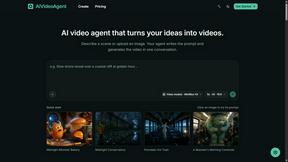
Turn text ideas or reference images into videos through conversation, with agent-assisted prompts and a choice of video models.

Easemic
Open-source Android comic & manga reader with encrypted cloud streaming and AI ad-page stripping.

LaunchIntel
Your AI agent picks relevant directories, submits your product in your browser and tracks every step. One-time purchase.

GenX
All-in-one AI workspace to generate images, videos, and audio with multiple leading AI models.

Bloom
An adaptive AI tutor that turns topics or your materials into courses, lessons, and answers tailored to how you learn.

FreeVideoGenerator
Turn text prompts and photos into AI video clips with multiple models. Get free starter credits and watermark-free downloads.