
Hush Touch | Voice-to-Text for MacOS vs SVG to 3D
Side-by-side comparison to help you choose the right product.

Hush Touch | Voice-to-Text for MacOS
Transform your dictation experience with Hush Touch, the smart offline voice-to-text tool for Mac that learns as you.
Last updated: February 26, 2026

SVG to 3D
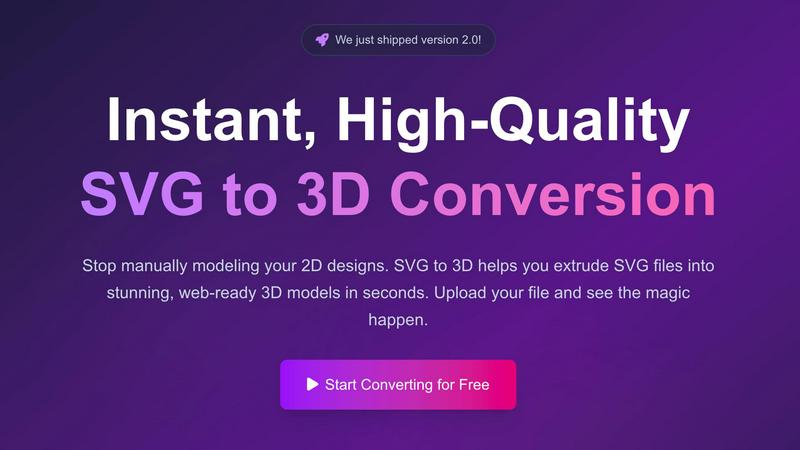
Instantly convert your 2D SVG designs into stunning, web-ready 3D models with advanced controls and fast processing.
Last updated: February 26, 2026
Visual Comparison
Hush Touch | Voice-to-Text for MacOS

SVG to 3D
Feature Comparison
Hush Touch | Voice-to-Text for MacOS
Dual-Engine Recognition
Hush Touch employs a unique blend of two Apple dictation engines: DictationTranscriber for natural flow and punctuation, and SFSpeechRecognizer for custom vocabulary enhancement. This combination ensures that users enjoy highly accurate transcriptions that adapt to their unique speaking styles and terminologies.
Custom Vocabulary
With the ability to recognize up to 500 specialized terms, Hush Touch learns vocabulary over time, enhancing its accuracy for niche fields such as medical and technical jargon. This feature allows professionals to dictate complex phrases and terminology without worrying about misinterpretation, ensuring seamless communication.
Smart Text Processing
The app includes advanced smart text processing capabilities, such as filler word removal and auto-correction. This feature not only makes the transcriptions cleaner but also saves users time by automatically formatting lists and detecting frequently used phrases, all processed locally for immediate feedback.
100% On-Device Privacy
Hush Touch prioritizes user privacy by ensuring that all voice data is processed entirely on the user's Mac. There is no reliance on cloud services, meaning that sensitive information remains secure and off the grid. Users can dictate comfortably, knowing their data is protected.
SVG to 3D
One-Click to GLB for the Web
This feature allows users to export their 3D models as GLB files optimized for web use. The exports are ready to be seamlessly integrated into popular frameworks like Three.js or React Three Fiber, making it ideal for web developers looking to enhance their projects with interactive 3D graphics.
3D-Print Ready
SVG to 3D supports clean STL exports, ensuring that your models are ready for 3D printing. This functionality enables users to take their digital designs and convert them into tangible objects without the need for additional modeling software, streamlining the process from concept to physical product.
Fine-Tune Every Detail
Beyond basic extrusion, this feature allows users to adjust various elements of their 3D models, including thickness, bevels, and PBR materials. The real-time preview helps users visualize changes instantly, ensuring that every detail meets their expectations and results in a polished final product.
Lightning-Fast Processing
SVG to 3D employs optimized algorithms that convert SVG files into 3D models in mere seconds. This efficiency not only saves time but also enhances productivity by allowing users to generate high-quality models quickly, making it the fastest SVG to 3D conversion tool available online.
Use Cases
Hush Touch | Voice-to-Text for MacOS
Drafting Emails
With Hush Touch, drafting emails becomes a breeze. Users can quickly dictate their messages hands-free, allowing for rapid communication without the frustration of typing. The app's smart text processing helps maintain professionalism by auto-inserting punctuation and formatting.
Creating Content
Writers can leverage Hush Touch to generate articles, blogs, or reports with ease. Its adaptive learning feature ensures that the software becomes familiar with the writer's style, enhancing productivity and reducing the time spent on edits.
Medical Documentation
Healthcare professionals can rely on Hush Touch for efficient documentation of patient notes and medical records. The app's ability to recognize medical terminology and its adaptive learning capabilities make it a crucial tool for maintaining accuracy in clinical settings.
Programming and Code Documentation
Software developers find Hush Touch invaluable for dictating code comments, documentation, and technical specifications. The dual-engine recognition allows for precise transcription of programming languages and technical terms, streamlining the workflow and reducing errors.
SVG to 3D
Creating Interactive Web Elements
Web developers can leverage SVG to 3D to transform static SVG icons into dynamic 3D models, enhancing the interactivity of their websites. This capability allows for captivating user experiences that engage visitors and elevate brand presence.
Rapid Prototyping for 3D Printing
Designers can utilize SVG to 3D to quickly prepare their 2D designs for 3D printing. The tool’s STL export feature ensures that prototypes are ready for fabrication, enabling rapid iterations and testing of design concepts before final production.
Enhancing UI/UX Presentations
With the ability to add depth and realism to UI elements, designers can use SVG to 3D to create visually striking mockups that impress clients and stakeholders. This tool helps in presenting ideas more effectively, showcasing how designs can look in a real-world context.
Transforming Logos into 3D Art
Business owners and marketers can convert their logos into 3D models for use in branding materials, promotional videos, or digital assets. This transformation adds a new dimension to branding efforts, making logos more memorable and visually appealing.
Overview
About Hush Touch | Voice-to-Text for MacOS
Hush Touch is a revolutionary voice-to-text application designed specifically for macOS, enabling users to dictate their thoughts with unprecedented speed, accuracy, and privacy. This innovative software leverages dual Apple transcription engines combined with an advanced Apple Intelligence final pass to ensure that the dictated text is not only clean but also contextually relevant. Hush Touch operates entirely on-device, which means users can enjoy seamless dictation capabilities even without an internet connection. This makes it ideal for professionals who prioritize data privacy, such as doctors, writers, and software engineers. With its lightweight design, quick launch time, and minimal setup requirements, Hush Touch effortlessly integrates into everyday writing workflows. For a one-time payment of $20, users gain a lifetime license, making it an unbeatable choice for those seeking a reliable dictation tool without the burden of ongoing subscription fees.
About SVG to 3D
SVG to 3D is an innovative online tool designed to revolutionize the way designers and developers transform their 2D SVG vector graphics into stunning, professional-quality 3D models. This platform addresses the common frustration of relying on complex and heavyweight software like Blender or Cinema 4D for simple tasks such as extruding logos or icons. With SVG to 3D, users can effortlessly upload their SVG files and see high-quality 3D models generated in seconds, all within a user-friendly browser interface. The tool is particularly aimed at web developers, designers, and 3D printing enthusiasts looking for a fast, efficient, and reliable solution to create interactive 3D assets without compromising on quality. The main value proposition lies in its ability to provide a streamlined, high-performance workflow that empowers users to bring their designs to life swiftly and effectively.
Frequently Asked Questions
Hush Touch | Voice-to-Text for MacOS FAQ
How does Hush Touch ensure privacy?
Hush Touch processes all voice data entirely on the user's device, with no reliance on cloud services. This means that your voice recordings and transcriptions remain private and secure.
What is the pricing structure for Hush Touch?
Hush Touch is available for a one-time payment of $20, providing users with a lifetime license. There are no subscription fees, making it a cost-effective choice for anyone needing reliable voice dictation.
Can Hush Touch recognize specialized vocabulary?
Yes, Hush Touch can recognize up to 500 specialized terms and learns additional vocabulary over time based on user corrections and input. This makes it suitable for various fields, including medical and technical professions.
What devices are compatible with Hush Touch?
Hush Touch is specifically designed for macOS and is optimized to run smoothly on Mac devices. Users can download the app and start dictating right away with minimal setup required.
SVG to 3D FAQ
How do I start using SVG to 3D?
To begin using SVG to 3D, simply visit the website and upload your SVG file. You can drag and drop your file or paste the SVG code directly into the editor to initiate the conversion process.
What file formats can I export my 3D models to?
SVG to 3D supports multiple export formats, including GLB, GLTF, OBJ, and STL. This versatility ensures that your 3D models can be used in various applications, from web development to 3D printing.
Is there a limit on the size of the SVG files I can upload?
Yes, SVG to 3D allows uploads of SVG files up to a maximum size of 5 MB. This limit helps maintain optimal performance during the conversion process.
Is my data secure when using SVG to 3D?
Absolutely! SVG to 3D prioritizes user privacy by processing files locally in your browser whenever possible. This approach minimizes the risk of data exposure, as no files are uploaded to external servers during the conversion.
Alternatives
Hush Touch | Voice-to-Text for MacOS Alternatives
Hush Touch | Voice-to-Text for MacOS is a cutting-edge dictation tool designed to enhance productivity through offline voice-to-text capabilities. As a member of the AI Assistants category, it offers users an innovative solution that prioritizes privacy and efficiency by processing data entirely on-device. Users often seek alternatives due to various reasons such as pricing, additional features, compatibility with different platforms, or specific use cases that may not be fully addressed by Hush Touch. When selecting an alternative, consider factors like ease of use, accuracy of transcription, privacy measures, and how well the product integrates into your existing workflow to ensure it meets your unique needs and expectations.
SVG to 3D Alternatives
SVG to 3D is a cutting-edge tool designed to seamlessly convert 2D SVG vector graphics into high-quality 3D models. It falls under the category of AI Assistants, catering to developers, designers, and 3D printing enthusiasts who need a quick and efficient solution to transform their designs. Users often seek alternatives to this kind of tool due to various reasons such as pricing, the need for specific features, or compatibility with different platforms and software. When choosing an alternative, it’s important to look for factors like ease of use, output quality, available export formats, and whether the tool integrates smoothly into existing workflows. Additionally, consider the level of customization offered and any support for advanced features that may enhance your 3D modeling experience.