
QuickImg vs RemoveTexts
Side-by-side comparison to help you choose the right product.

QuickImg is your ultimate AI solution for effortlessly generating, editing, and enhancing breathtaking images in.
Last updated: February 28, 2026

RemoveTexts
RemoveTexts is an AI tool that instantly erases text from images, simplifying your design process without the need for Photoshop skills.
Last updated: March 11, 2026
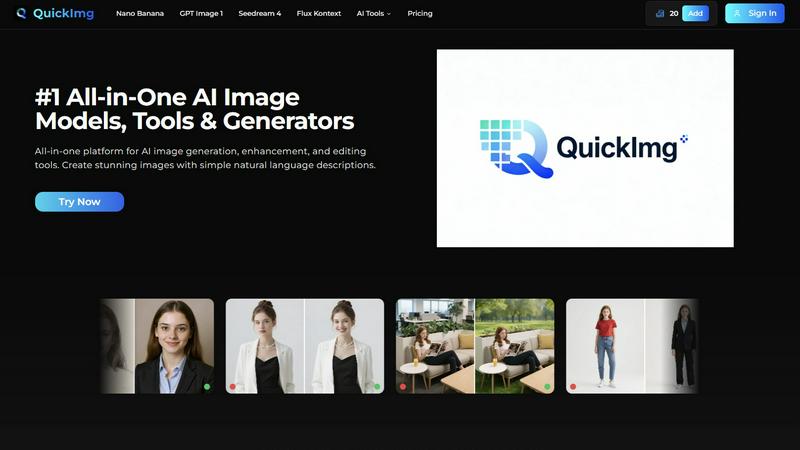
Visual Comparison
QuickImg
RemoveTexts

Feature Comparison
QuickImg
AI Image Generation
QuickImg's AI Image Generation feature enables users to create stunning visuals by simply describing their needs in natural language. This innovative approach eliminates the need for technical expertise, allowing anyone to produce professional-quality images effortlessly.
Advanced Image Editing
With sophisticated editing tools, QuickImg allows users to modify existing images with precision. Whether you want to change colors, remove backgrounds, or enhance details, the platform's advanced AI technology delivers high-quality results in just a few clicks.
Multiple AI Models
QuickImg offers access to several state-of-the-art AI models like Nano Banana, GPT Image 1, and Seedream 4. Each model is tailored for specific tasks, providing users with the flexibility to choose the best tool for their creative needs, ensuring optimal outcomes.
Ready-to-Use Templates
The platform includes a vast library of professionally designed templates for various scenarios, from social media posts to product photography. These templates allow users to get started quickly, saving time while ensuring visually appealing results.
RemoveTexts
Paint to Remove
The Paint to Remove feature allows users to precisely control which text is eliminated by simply brushing over specific areas in the image. This level of control ensures that only the unwanted text is targeted, maintaining the integrity of the surrounding visuals.
Auto Remove All
With the Auto Remove All feature, users can automatically detect and erase all text elements in an image with just a single click. This feature leverages the power of AI to quickly process images, saving time while delivering impeccable results.
Edit & Replace Text
The Edit & Replace Text option empowers users to not only remove text but also substitute it with new content. The AI intelligently matches the original font style, allowing for seamless integration of the new text into the image.
Remove Objects
The Remove Objects feature extends beyond text removal, enabling users to eliminate unwanted visual elements such as logos or people from their images. This function is particularly useful for marketers looking to create clean product shots or presentations.
Use Cases
QuickImg
Marketing Campaigns
QuickImg is perfect for marketers looking to create eye-catching visuals for their campaigns. By leveraging AI-generated images, marketers can produce high-quality content faster, enhancing their promotional efforts without the need for extensive design resources.
Social Media Content Creation
Content creators can use QuickImg to generate visually striking graphics tailored for social media platforms. With customizable templates and AI editing tools, users can maintain a consistent and engaging online presence, driving audience engagement.
E-commerce Product Images
Online retailers can benefit from QuickImg's capabilities by creating professional-looking product images. The platform allows for rapid generation and editing, enabling sellers to showcase their products in the best light, ultimately boosting sales.
Creative Projects and Art
Artists and designers can explore their creativity using QuickImg to generate unique visuals and artwork. The platform's AI tools facilitate experimentation and innovation, allowing creators to push the boundaries of their projects.
RemoveTexts
E-commerce Product Photos
E-commerce sellers can utilize RemoveTexts to clean up product images by removing watermarks or distracting text overlays. This results in polished visuals that enhance product appeal and boost conversion rates.
Legal Document Redaction
Legal professionals can employ RemoveTexts to redact sensitive information from documents and images. With the ability to remove date stamps and personal details, they can ensure privacy while maintaining the document's professional appearance.
Social Media Content Creation
Content creators on social media can benefit from RemoveTexts by quickly editing out unwanted text from images or videos. This allows them to maintain a consistent and professional aesthetic across their platforms without time-consuming editing.
Academic Research and Presentations
Researchers and students can use RemoveTexts to prepare clean images for presentations or publications by removing irrelevant text or watermarks. This ensures that their work appears polished and credible, enhancing their academic impact.
Overview
About QuickImg
QuickImg is the ultimate all-in-one platform designed to revolutionize your creative process through the power of artificial intelligence. By integrating the entire scope of AI-driven visual creation—including generation, enhancement, and sophisticated editing—into a single, user-friendly interface, QuickImg caters to innovators, marketers, content creators, and businesses of all sizes. The platform simplifies the often complex and costly landscape of visual design by allowing users to describe their vision in natural language, making professional-grade imagery accessible to everyone. Whether you are conceptualizing a new idea from scratch or enhancing an existing image, QuickImg is engineered to provide the speed, quality, and flexibility necessary for rapid iteration and stunning visual asset production. With partnerships with leading technology providers and access to advanced models such as Nano Banana Pro and Seedream 4, you can be at the cutting edge of AI image technology, poised to accelerate your content pipeline and explore boundless creative possibilities.
About RemoveTexts
RemoveTexts is a cutting-edge AI-powered image editing tool designed to effortlessly remove unwanted text from images in mere seconds. With its user-friendly interface, you can upload any image and utilize advanced generative AI to eliminate watermarks, subtitles, captions, and branded overlays without requiring any Photoshop skills. The technology behind RemoveTexts utilizes deep learning inpainting, ensuring that backgrounds are intelligently reconstructed, resulting in clean, professional-grade images. Ideal for creators, marketers, designers, and anyone needing quick and effective text removal, RemoveTexts has gained the trust of over 100,000 users globally. This innovative tool supports various languages and works seamlessly with multiple image formats, making it an invaluable asset for anyone who values clean visuals and efficiency.
Frequently Asked Questions
QuickImg FAQ
How does QuickImg work?
QuickImg operates by allowing users to input natural language descriptions of the images they want to create or edit. The platform's advanced AI models interpret these prompts and generate high-quality visuals based on user specifications.
Do I need design experience to use QuickImg?
No, QuickImg is designed to be user-friendly and accessible to everyone, regardless of design experience. The platform simplifies the creation and editing process, enabling anyone to produce professional-grade images with ease.
What types of AI models does QuickImg use?
QuickImg employs a variety of cutting-edge AI models, including Nano Banana Pro, GPT Image 1, and Seedream 4. Each model is suited for different tasks, ensuring users have the right tools for their specific needs.
Is there a free trial available for QuickImg?
Yes, QuickImg offers a limited-time promotion where new users can enjoy 50% off their first purchase using the code QI50. This allows potential customers to explore the platform and its features at a reduced cost.
RemoveTexts FAQ
How does RemoveTexts work?
RemoveTexts utilizes advanced AI-powered deep learning inpainting technology to analyze surrounding pixels and intelligently reconstruct the background after text removal. This results in seamless, professional-grade images.
What image formats does RemoveTexts support?
RemoveTexts supports JPG, PNG, and WebP image formats, accommodating user needs across various platforms. Users can upload images up to 10MB for processing.
Can I remove watermarks with RemoveTexts?
Yes, RemoveTexts is specifically designed to remove watermarks and other unwanted text elements from images. The AI ensures that the background is reconstructed seamlessly, leaving no traces behind.
Is RemoveTexts suitable for non-designers?
Absolutely! RemoveTexts is designed for users of all skill levels. With its intuitive interface, anyone can easily remove text from images without requiring any design expertise.
Alternatives
QuickImg Alternatives
QuickImg is an innovative all-in-one AI platform tailored for generating, editing, and enhancing images with remarkable speed and quality. It falls into the category of AI-assisted creative tools, designed to empower users by transforming their ideas into stunning visual content effortlessly. However, users often seek alternatives due to various reasons such as pricing concerns, specific feature requirements, or the need for compatibility with different platforms and workflows. When looking for an alternative to QuickImg, it's essential to evaluate factors like usability, the diversity of AI models offered, cost efficiency, and the level of support provided. A good alternative should not only meet your creative needs but also streamline your workflow, ensuring that you can produce professional-grade visuals without the complexities often associated with advanced technology.
RemoveTexts Alternatives
RemoveTexts is an innovative AI-powered tool designed to effortlessly remove unwanted text from images, making it a vital asset in the realm of image editing. As a member of the image and photo editing category, it caters to a diverse range of users, including creators, marketers, and designers who need quick and effective solutions for cleaning images. While RemoveTexts offers powerful features, users often seek alternatives for various reasons, such as pricing structures, feature sets, or compatibility with specific platforms. When choosing an alternative to RemoveTexts, it’s crucial to consider the ease of use, the quality of output, and whether the tool meets specific needs such as language support and advanced editing capabilities. Users should also evaluate the pricing model to ensure it aligns with their budget while providing the necessary functionality for their projects.