
Patrivox vs Playwriter
Side-by-side comparison to help you choose the right product.

Patrivox
Transform your archives into searchable knowledge with Patrivox's AI-driven document digitization and classification.
Last updated: March 4, 2026

Visual Comparison
Patrivox
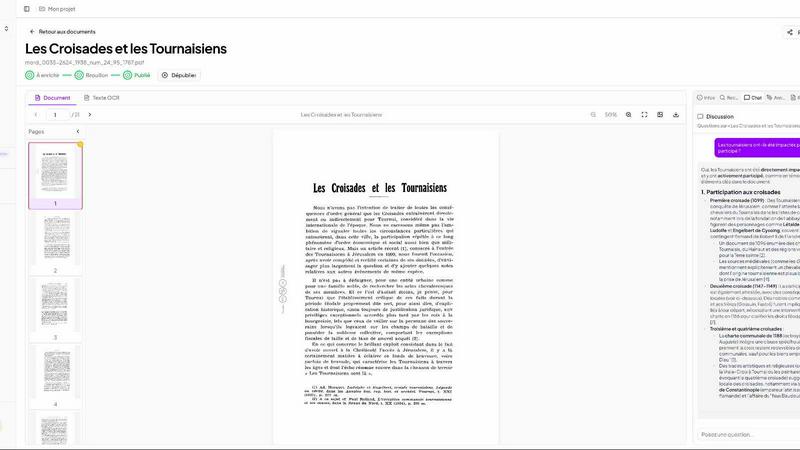
Playwriter

Overview
About Patrivox
Patrivox is an innovative European SaaS platform meticulously crafted to empower various organizations, including heritage institutions, municipal services, associations, and enterprises. This cutting-edge tool transforms vast collections of scanned documents into a fully searchable knowledge base, providing unprecedented access to previously inaccessible information. With a user-friendly drag-and-drop feature, Patrivox allows users to upload their PDFs effortlessly. Within minutes, Mistral AI employs sophisticated optical character recognition (OCR) technology, extracting every word and identifying key entities such as people, places, and organizations. The platform's main value proposition lies in its ability to make knowledge easily searchable and shareable, enhancing research capabilities and promoting public access to valuable data. Whether you are a historical society looking to digitize documentation or a municipal archive needing efficient indexing, Patrivox serves as a vital tool in modernizing how information is accessed and utilized.
About Playwriter
AI agents cannot browse the web properly. They either have no browser access, or they get a fresh Chrome with no logins, no extensions, and instant bot detection. Playwriter gives them your actual browser session instead. One Chrome extension, full automation API, everything you are already logged into. Includes accessibility snapshots (5-20KB instead of 100KB+ screenshots), a debugger with breakpoints, live code editing, network interception, and video recording. Works with any MCP client: Cursor, Claude, VS Code, and more. Open source, MIT licensed.