
NanoBanana 2 vs SVG to 3D
Side-by-side comparison to help you choose the right product.

NanoBanana 2
Nano Banana 2 is your AI design agent for professional-grade photo enhancement and intelligent editing.
Last updated: March 18, 2026
SVG to 3D
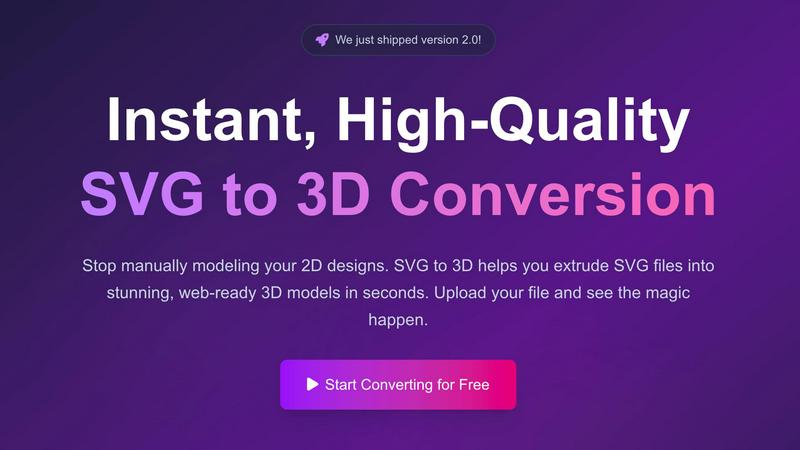
Instantly convert your 2D SVG designs into stunning, web-ready 3D models with advanced controls and fast processing.
Last updated: February 26, 2026
Visual Comparison
NanoBanana 2

SVG to 3D
Feature Comparison
NanoBanana 2
Next-Gen AI Image & Text to Image
Harness the power of an advanced AI model for both image-to-image transformation and text-to-image generation. Experience stronger prompt control, allowing you to guide the AI with detailed descriptions for precise, creative outcomes. This feature provides a scalable solution for generating original artwork or radically transforming existing visuals based on your vision.
Intelligent Auto-Enhancement & Retouching
The AI doesn't just apply filters; it intelligently analyzes each photo's context to apply optimal enhancements. It performs professional-grade color correction, noise reduction, and detail recovery automatically. The specialized portrait enhancement mode offers natural skin retouching and feature refinement, preserving authentic details while elevating image quality.
One-Click & Batch Processing Pipeline
Transform images instantly with an optimized, real-time processing pipeline. This feature is built for efficiency, allowing for one-click professional results. Scale your workflow effortlessly with batch processing capabilities, enabling you to apply consistent, high-quality enhancements to hundreds of images simultaneously, perfect for large shoots or content batches.
Advanced HDR & Detail Recovery
Go beyond basic edits with advanced HDR enhancement capabilities. This feature intelligently recovers lost details from shadows and highlights, creating stunning dynamic range effects instantly. It leverages deep learning to balance exposure and reveal depth, ensuring your images have the professional pop and clarity that stand out in any portfolio or feed.
SVG to 3D
One-Click to GLB for the Web
This feature allows users to export their 3D models as GLB files optimized for web use. The exports are ready to be seamlessly integrated into popular frameworks like Three.js or React Three Fiber, making it ideal for web developers looking to enhance their projects with interactive 3D graphics.
3D-Print Ready
SVG to 3D supports clean STL exports, ensuring that your models are ready for 3D printing. This functionality enables users to take their digital designs and convert them into tangible objects without the need for additional modeling software, streamlining the process from concept to physical product.
Fine-Tune Every Detail
Beyond basic extrusion, this feature allows users to adjust various elements of their 3D models, including thickness, bevels, and PBR materials. The real-time preview helps users visualize changes instantly, ensuring that every detail meets their expectations and results in a polished final product.
Lightning-Fast Processing
SVG to 3D employs optimized algorithms that convert SVG files into 3D models in mere seconds. This efficiency not only saves time but also enhances productivity by allowing users to generate high-quality models quickly, making it the fastest SVG to 3D conversion tool available online.
Use Cases
NanoBanana 2
Professional Photography Post-Production
Photographers can drastically cut down editing time from hours to minutes. Process entire wedding, portrait, or commercial shoots using batch processing, applying consistent color grading and intelligent retouching that maintains a natural, high-end look. This scales business capacity without compromising on the quality clients expect.
Social Media Content Creation at Scale
Content creators and social media managers need a constant stream of polished visuals. NanoBanana 2 enables rapid enhancement of product photos, lifestyle images, and promotional graphics. The one-click processing and HDR features ensure every post is vibrant and engaging, helping to grow and maintain a professional online presence efficiently.
E-commerce Product Image Optimization
Online retailers require hundreds of product images that are clear, consistent, and appealing. Use batch processing to uniformly enhance product catalogs—correcting colors, reducing noise, and improving sharpness. This creates a trustworthy and premium shopping experience that can directly scale conversion rates and sales.
Design & Creative Agency Workflows
Design agencies handling multiple client projects can integrate NanoBanana 2 into their pipeline for rapid image preparation. Use the text-to-image and advanced transformation tools to quickly generate mock-ups, concepts, and enhanced assets, allowing teams to iterate faster and take on more client work with scalable, AI-powered efficiency.
SVG to 3D
Creating Interactive Web Elements
Web developers can leverage SVG to 3D to transform static SVG icons into dynamic 3D models, enhancing the interactivity of their websites. This capability allows for captivating user experiences that engage visitors and elevate brand presence.
Rapid Prototyping for 3D Printing
Designers can utilize SVG to 3D to quickly prepare their 2D designs for 3D printing. The tool’s STL export feature ensures that prototypes are ready for fabrication, enabling rapid iterations and testing of design concepts before final production.
Enhancing UI/UX Presentations
With the ability to add depth and realism to UI elements, designers can use SVG to 3D to create visually striking mockups that impress clients and stakeholders. This tool helps in presenting ideas more effectively, showcasing how designs can look in a real-world context.
Transforming Logos into 3D Art
Business owners and marketers can convert their logos into 3D models for use in branding materials, promotional videos, or digital assets. This transformation adds a new dimension to branding efforts, making logos more memorable and visually appealing.
Overview
About NanoBanana 2
NanoBanana 2 is the definitive next-generation AI image editing model, engineered to scale the creative capabilities of photographers, designers, and content creators. Built as a significant upgrade from the original Nano Banana, it represents a leap forward in intelligent image processing. This powerful AI-driven photo editor automates complex editing tasks, delivering professional-grade image enhancement, intelligent retouching, and high-quality manipulation with unprecedented ease. Its core value proposition lies in transforming hours of manual work into one-click operations, enabling professionals to focus on creativity rather than tedious processes. Designed for a growth-minded audience, NanoBanana 2 offers sharper edits, stronger prompt control, and a more premium workflow, empowering users to produce superior visual content faster and more consistently. Trusted by over 10,000 creators, it's the scalable design agent that grows with your ambitions, turning any image into a masterpiece through state-of-the-art deep learning algorithms.
About SVG to 3D
SVG to 3D is an innovative online tool designed to revolutionize the way designers and developers transform their 2D SVG vector graphics into stunning, professional-quality 3D models. This platform addresses the common frustration of relying on complex and heavyweight software like Blender or Cinema 4D for simple tasks such as extruding logos or icons. With SVG to 3D, users can effortlessly upload their SVG files and see high-quality 3D models generated in seconds, all within a user-friendly browser interface. The tool is particularly aimed at web developers, designers, and 3D printing enthusiasts looking for a fast, efficient, and reliable solution to create interactive 3D assets without compromising on quality. The main value proposition lies in its ability to provide a streamlined, high-performance workflow that empowers users to bring their designs to life swiftly and effectively.
Frequently Asked Questions
NanoBanana 2 FAQ
What is the difference between Nano Banana and NanoBanana 2?
NanoBanana 2 is a major upgrade featuring a more advanced deep learning model. It delivers sharper edits, significantly improved prompt control for image generation, and a more refined, premium output quality. The processing algorithms are enhanced for better detail preservation, color accuracy, and faster performance, representing the next evolution in AI-powered editing.
Is there a free version of NanoBanana 2 available?
Yes, you can start creating for free with NanoBanana 2. The platform offers a "Try Nano Banana Free" option, which includes access to the Nano Banana Lite model. This allows new users to experience core AI editing capabilities and explore the platform's workflow before scaling up to the full, recommended NanoBanana 2 model for advanced features.
What image formats does NanoBanana 2 support?
NanoBanana 2 supports all major image formats for upload, including JPEG, PNG, and WEBP. The system accepts files up to 30MB in size. This flexibility ensures you can work with the most common file types from cameras, smartphones, and other design software without needing to pre-convert your images.
How does the AI ensure natural-looking retouching, especially for portraits?
The portrait enhancement feature uses context-aware AI trained on vast datasets to understand facial anatomy and textures. Instead of applying uniform blurring, it intelligently differentiates between skin texture, pores, hair, and other features, smoothing imperfections while meticulously preserving natural details, resulting in professional and authentic retouching.
SVG to 3D FAQ
How do I start using SVG to 3D?
To begin using SVG to 3D, simply visit the website and upload your SVG file. You can drag and drop your file or paste the SVG code directly into the editor to initiate the conversion process.
What file formats can I export my 3D models to?
SVG to 3D supports multiple export formats, including GLB, GLTF, OBJ, and STL. This versatility ensures that your 3D models can be used in various applications, from web development to 3D printing.
Is there a limit on the size of the SVG files I can upload?
Yes, SVG to 3D allows uploads of SVG files up to a maximum size of 5 MB. This limit helps maintain optimal performance during the conversion process.
Is my data secure when using SVG to 3D?
Absolutely! SVG to 3D prioritizes user privacy by processing files locally in your browser whenever possible. This approach minimizes the risk of data exposure, as no files are uploaded to external servers during the conversion.
Alternatives
NanoBanana 2 Alternatives
NanoBanana 2 represents the cutting edge in AI-powered photo editing, a next-generation model designed to transform how individuals and teams enhance their visual content. As a leader in the AI Assistants category, it delivers intelligent image processing that scales with creative ambition. Users often explore alternatives to find the perfect fit for their unique workflow. This search can be driven by specific budget constraints, the need for different feature sets like batch processing or niche filters, or compatibility requirements with other platforms in their tech stack. It's a natural part of building a scalable, efficient content creation pipeline. When evaluating other solutions, focus on core value. Prioritize tools that offer a robust AI engine, seamless integration potential, and a clear path for your editing needs to evolve. The goal is to secure a partner in productivity that grows alongside your visual output demands.
SVG to 3D Alternatives
SVG to 3D is a cutting-edge tool designed to seamlessly convert 2D SVG vector graphics into high-quality 3D models. It falls under the category of AI Assistants, catering to developers, designers, and 3D printing enthusiasts who need a quick and efficient solution to transform their designs. Users often seek alternatives to this kind of tool due to various reasons such as pricing, the need for specific features, or compatibility with different platforms and software. When choosing an alternative, it’s important to look for factors like ease of use, output quality, available export formats, and whether the tool integrates smoothly into existing workflows. Additionally, consider the level of customization offered and any support for advanced features that may enhance your 3D modeling experience.