
Ironback vs SVG to 3D
Side-by-side comparison to help you choose the right product.

Ironback
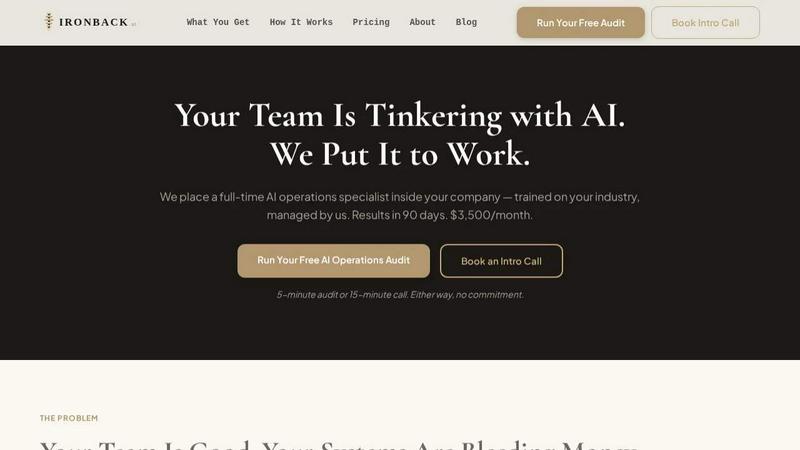
Transform your business operations with Ironback's dedicated AI specialist, delivering automation and efficiency in just 90 days.
Last updated: April 4, 2026
SVG to 3D
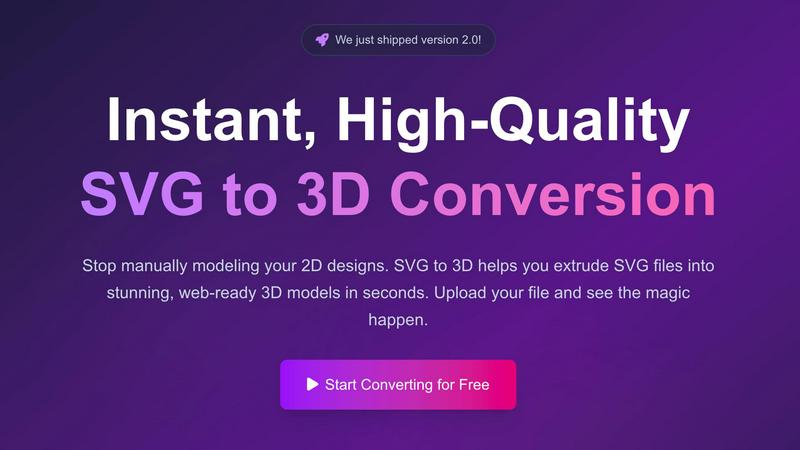
Instantly convert your 2D SVG designs into stunning, web-ready 3D models with advanced controls and fast processing.
Last updated: February 26, 2026
Visual Comparison
Ironback
SVG to 3D
Feature Comparison
Ironback
AI Call Handling
Ironback's AI voice agents handle after-hours calls, ensuring that no customer inquiry goes unanswered. Missed calls are automatically followed up with text messages, while emergency jobs are triaged and dispatched promptly, ensuring a smooth operation even when your team is off-duty.
AI-Assisted Estimating
With AI-assisted takeoffs, estimating time is significantly reduced by 50 to 70 percent. This feature leverages photo-based workflows, eliminating the need for manual calculations and allowing estimators to focus on more strategic tasks, thus increasing overall productivity.
Compliance and Documentation Automation
Ironback automates the generation of digital job forms and ensures that compliance paperwork is processed efficiently. Inspection reports are auto-populated, and essential documents like OSHA and EPA compliance forms are managed seamlessly, reducing the administrative burden on your team.
Automated Follow-Up and Customer Retention
Ironback enhances customer engagement through automated follow-up processes. Open quotes are actively chased, review requests are sent upon job completion, and past customers receive timely communication, ensuring that your business stays top of mind and fosters long-term relationships.
SVG to 3D
One-Click to GLB for the Web
This feature allows users to export their 3D models as GLB files optimized for web use. The exports are ready to be seamlessly integrated into popular frameworks like Three.js or React Three Fiber, making it ideal for web developers looking to enhance their projects with interactive 3D graphics.
3D-Print Ready
SVG to 3D supports clean STL exports, ensuring that your models are ready for 3D printing. This functionality enables users to take their digital designs and convert them into tangible objects without the need for additional modeling software, streamlining the process from concept to physical product.
Fine-Tune Every Detail
Beyond basic extrusion, this feature allows users to adjust various elements of their 3D models, including thickness, bevels, and PBR materials. The real-time preview helps users visualize changes instantly, ensuring that every detail meets their expectations and results in a polished final product.
Lightning-Fast Processing
SVG to 3D employs optimized algorithms that convert SVG files into 3D models in mere seconds. This efficiency not only saves time but also enhances productivity by allowing users to generate high-quality models quickly, making it the fastest SVG to 3D conversion tool available online.
Use Cases
Ironback
Streamlining Operations for Dispatch
Ironback’s AI operations specialist can revamp dispatch processes by automating job assignments and prioritizing emergency calls, ensuring that service teams are always informed and ready to respond without delay.
Enhancing Estimating Accuracy and Speed
Service companies can leverage Ironback's AI-assisted estimating to produce quotes faster and with higher accuracy. This feature reduces the likelihood of errors and allows for more competitive pricing, ultimately winning more jobs.
Improving Customer Service Response Times
By utilizing Ironback’s AI call handling, companies can improve their customer service response times significantly. With 24/7 availability for handling calls and inquiries, businesses can provide a higher level of service and reduce the risk of losing potential clients.
Increasing Compliance Efficiency
Ironback helps service companies stay compliant with industry regulations by automating the documentation process. This minimizes the chances of non-compliance due to human error and saves time that can be redirected towards core business activities.
SVG to 3D
Creating Interactive Web Elements
Web developers can leverage SVG to 3D to transform static SVG icons into dynamic 3D models, enhancing the interactivity of their websites. This capability allows for captivating user experiences that engage visitors and elevate brand presence.
Rapid Prototyping for 3D Printing
Designers can utilize SVG to 3D to quickly prepare their 2D designs for 3D printing. The tool’s STL export feature ensures that prototypes are ready for fabrication, enabling rapid iterations and testing of design concepts before final production.
Enhancing UI/UX Presentations
With the ability to add depth and realism to UI elements, designers can use SVG to 3D to create visually striking mockups that impress clients and stakeholders. This tool helps in presenting ideas more effectively, showcasing how designs can look in a real-world context.
Transforming Logos into 3D Art
Business owners and marketers can convert their logos into 3D models for use in branding materials, promotional videos, or digital assets. This transformation adds a new dimension to branding efforts, making logos more memorable and visually appealing.
Overview
About Ironback
Ironback is revolutionizing the way service companies operate by embedding a full-time AI operations specialist within their teams. Designed specifically for service-oriented businesses, Ironback addresses the common pain points that arise from manual processes, inefficiencies, and a lack of streamlined communication. By integrating advanced AI capabilities, Ironback helps companies optimize call handling, estimating, scheduling, compliance, and much more. The main value proposition lies in its guarantee of significant cost savings—over $50K—within the first two weeks of assessment. With Ironback, businesses can focus on delivering exceptional service while the AI operations specialist manages and automates time-consuming tasks, resulting in improved efficiency and productivity.
About SVG to 3D
SVG to 3D is an innovative online tool designed to revolutionize the way designers and developers transform their 2D SVG vector graphics into stunning, professional-quality 3D models. This platform addresses the common frustration of relying on complex and heavyweight software like Blender or Cinema 4D for simple tasks such as extruding logos or icons. With SVG to 3D, users can effortlessly upload their SVG files and see high-quality 3D models generated in seconds, all within a user-friendly browser interface. The tool is particularly aimed at web developers, designers, and 3D printing enthusiasts looking for a fast, efficient, and reliable solution to create interactive 3D assets without compromising on quality. The main value proposition lies in its ability to provide a streamlined, high-performance workflow that empowers users to bring their designs to life swiftly and effectively.
Frequently Asked Questions
Ironback FAQ
How does Ironback integrate into my existing team?
Ironback embeds a dedicated AI operations specialist within your team. This specialist is trained on your specific industry and operations, allowing seamless integration and immediate impact on your processes.
What kind of savings can I expect with Ironback?
Ironback guarantees savings of over $50K within the first two weeks of assessment by automating labor-intensive processes that currently cost your company significant time and money.
What industries can benefit from Ironback’s services?
Ironback is designed for service companies across various industries, including construction, HVAC, plumbing, and more. Any business that relies on field service can leverage Ironback to enhance efficiency.
How quickly can I see results from using Ironback?
Most service companies begin to see measurable results within 90 days of implementing Ironback’s AI operations specialist, with noticeable improvements in efficiency and cost savings.
SVG to 3D FAQ
How do I start using SVG to 3D?
To begin using SVG to 3D, simply visit the website and upload your SVG file. You can drag and drop your file or paste the SVG code directly into the editor to initiate the conversion process.
What file formats can I export my 3D models to?
SVG to 3D supports multiple export formats, including GLB, GLTF, OBJ, and STL. This versatility ensures that your 3D models can be used in various applications, from web development to 3D printing.
Is there a limit on the size of the SVG files I can upload?
Yes, SVG to 3D allows uploads of SVG files up to a maximum size of 5 MB. This limit helps maintain optimal performance during the conversion process.
Is my data secure when using SVG to 3D?
Absolutely! SVG to 3D prioritizes user privacy by processing files locally in your browser whenever possible. This approach minimizes the risk of data exposure, as no files are uploaded to external servers during the conversion.
Alternatives
Ironback Alternatives
Ironback is an innovative AI operations platform designed to enhance the efficiency of service companies by embedding a full-time AI operations specialist within their team. This specialist is responsible for a range of functions, including handling calls, estimating, scheduling, and ensuring compliance, ultimately leading to significant cost savings. As a solution in the AI assistants category, Ironback aims to streamline operations and optimize business performance. Users often seek alternatives to Ironback due to various reasons such as pricing, specific feature sets, or compatibility with existing platforms. When searching for a suitable alternative, it is important to consider factors like the scalability of the solution, the range of services offered, and how well the platform integrates with current business processes. Finding the right fit can help maximize operational efficiency and drive growth.
SVG to 3D Alternatives
SVG to 3D is a cutting-edge tool designed to seamlessly convert 2D SVG vector graphics into high-quality 3D models. It falls under the category of AI Assistants, catering to developers, designers, and 3D printing enthusiasts who need a quick and efficient solution to transform their designs. Users often seek alternatives to this kind of tool due to various reasons such as pricing, the need for specific features, or compatibility with different platforms and software. When choosing an alternative, it’s important to look for factors like ease of use, output quality, available export formats, and whether the tool integrates smoothly into existing workflows. Additionally, consider the level of customization offered and any support for advanced features that may enhance your 3D modeling experience.