
Imgezy vs RemoveTexts
Side-by-side comparison to help you choose the right product.

Imgezy
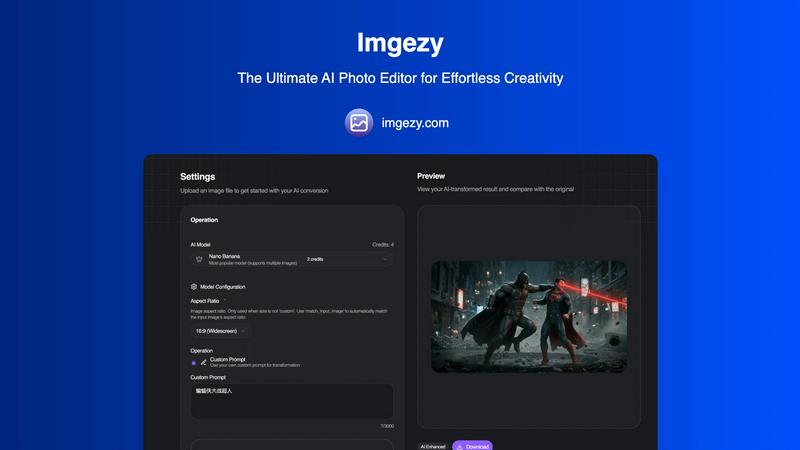
Imgezy instantly transforms your photos with AI, requiring no editing skills.
Last updated: February 28, 2026

RemoveTexts
RemoveTexts is an AI tool that instantly erases text from images, simplifying your design process without the need for Photoshop skills.
Last updated: March 11, 2026
Visual Comparison
Imgezy
RemoveTexts

Feature Comparison
Imgezy
Conversational AI Editing
Edit photos using simple text commands. Just describe the change you want—like "remove the person on the left" or "change the background to a beach"—and Imgezy's advanced AI interprets your request and executes the edit with professional precision, making complex manipulation accessible to everyone.
Flawless Object Removal
Intelligently identify and remove any unwanted object, person, or distraction from your photos. The AI doesn't just delete; it reconstructs the background with pixel-perfect accuracy, leaving no trace behind. Perfect for cleaning up product shots or salvaging perfect compositions ruined by photobombers.
Instant Background Replacement
Transform the context of any image in seconds. Swap out backgrounds effortlessly, from solid colors to stunning landscapes or professional settings. This feature is ideal for creating consistent branding visuals, enhancing product photography, or simply unleashing creative storytelling without manual cut-out work.
Batch Processing & High-Quality Output
Scale your editing workflow by processing multiple images at once, saving invaluable time on large projects. Every edit is delivered in full, high-resolution quality without any loss of detail, ensuring your visuals are always ready for professional use, whether online or in print.
RemoveTexts
Paint to Remove
The Paint to Remove feature allows users to precisely control which text is eliminated by simply brushing over specific areas in the image. This level of control ensures that only the unwanted text is targeted, maintaining the integrity of the surrounding visuals.
Auto Remove All
With the Auto Remove All feature, users can automatically detect and erase all text elements in an image with just a single click. This feature leverages the power of AI to quickly process images, saving time while delivering impeccable results.
Edit & Replace Text
The Edit & Replace Text option empowers users to not only remove text but also substitute it with new content. The AI intelligently matches the original font style, allowing for seamless integration of the new text into the image.
Remove Objects
The Remove Objects feature extends beyond text removal, enabling users to eliminate unwanted visual elements such as logos or people from their images. This function is particularly useful for marketers looking to create clean product shots or presentations.
Use Cases
Imgezy
E-commerce & Product Photography
E-commerce entrepreneurs and shop owners can generate pristine, consistent product shots at scale. Instantly remove distracting backgrounds, clean up imperfections, and create studio-quality images that boost conversion rates, all without the cost of a professional photographer or lengthy editing sessions.
Social Media & Content Creation
Social media creators, influencers, and marketing teams can craft visually stunning, viral-ready content in minutes. Quickly edit photos for campaigns, remove unwanted elements from travel or lifestyle shots, and maintain a high-quality, engaging feed that captures audience attention and drives growth.
Professional Marketing & Branding
Marketing agencies and in-house teams can streamline their creative workflow. Rapidly produce on-brand visuals for ads, brochures, and websites by editing batch uploads, ensuring all imagery aligns with brand guidelines and communicates a professional, polished message to the target audience.
Personal Photography & Blogging
Travel bloggers, hobbyists, and personal users can perfect their visual storytelling. Rescue photos by removing tourists from landmarks, dramatically altering skies and backgrounds to match a narrative, and enhancing image quality to create a compelling portfolio or blog that stands out.
RemoveTexts
E-commerce Product Photos
E-commerce sellers can utilize RemoveTexts to clean up product images by removing watermarks or distracting text overlays. This results in polished visuals that enhance product appeal and boost conversion rates.
Legal Document Redaction
Legal professionals can employ RemoveTexts to redact sensitive information from documents and images. With the ability to remove date stamps and personal details, they can ensure privacy while maintaining the document's professional appearance.
Social Media Content Creation
Content creators on social media can benefit from RemoveTexts by quickly editing out unwanted text from images or videos. This allows them to maintain a consistent and professional aesthetic across their platforms without time-consuming editing.
Academic Research and Presentations
Researchers and students can use RemoveTexts to prepare clean images for presentations or publications by removing irrelevant text or watermarks. This ensures that their work appears polished and credible, enhancing their academic impact.
Overview
About Imgezy
Imgezy is the definitive AI-powered photo editor, engineered to democratize professional-grade image manipulation for a scaling, growth-oriented audience. It transforms the complex, time-consuming process of photo editing into a simple, conversational experience, eliminating the steep learning curve of traditional software. By leveraging cutting-edge artificial intelligence, Imgezy allows anyone—from complete beginners to seasoned creators—to execute intricate edits by merely describing what they want in plain text. Whether it's removing an unwanted photobomber, swapping a drab office background for a tropical paradise, or enhancing overall image quality, Imgezy delivers flawless, high-resolution results in seconds. It's built for e-commerce entrepreneurs needing pristine product shots, social media creators crafting viral content, travel bloggers perfecting their visuals, and marketing teams streamlining their workflows. The core value proposition is unparalleled: limitless creative potential unlocked through intuitive, text-based commands, empowering users to produce stunning visuals at the speed of thought and scale their creative output without technical barriers.
About RemoveTexts
RemoveTexts is a cutting-edge AI-powered image editing tool designed to effortlessly remove unwanted text from images in mere seconds. With its user-friendly interface, you can upload any image and utilize advanced generative AI to eliminate watermarks, subtitles, captions, and branded overlays without requiring any Photoshop skills. The technology behind RemoveTexts utilizes deep learning inpainting, ensuring that backgrounds are intelligently reconstructed, resulting in clean, professional-grade images. Ideal for creators, marketers, designers, and anyone needing quick and effective text removal, RemoveTexts has gained the trust of over 100,000 users globally. This innovative tool supports various languages and works seamlessly with multiple image formats, making it an invaluable asset for anyone who values clean visuals and efficiency.
Frequently Asked Questions
Imgezy FAQ
How does Imgezy's AI photo editor work?
Imgezy uses cutting-edge artificial intelligence models to understand your text-based instructions. You simply upload an image and describe the edit you want in the prompt box. The AI then analyzes the image, interprets your command, and performs the precise manipulation—such as object removal or background change—delivering a professional result in seconds.
Do I need any design skills or experience to use Imgezy?
No design skills or prior experience are required. Imgezy is built specifically to democratize professional editing. The interface is intuitive and the process is as simple as having a conversation. You describe your vision, and the AI handles the complex technical execution, making pro-level results accessible to complete beginners.
What image formats does Imgezy support?
Imgezy supports all major image formats, including JPG, PNG, and WebP. You can upload your photos directly from your device. The edited images are available for download in high resolution, ensuring no loss of quality for your final visuals, whether for web or print use.
Is there a limit to how many images I can edit?
Usage is based on a credit system, which varies by subscription plan. For example, the Basic plan includes 200 credits (approximately 100 images per month), while the Pro plan offers 800 credits. This scalable model allows you to choose a plan that fits your growing creative needs, from casual personal use to high-volume professional projects.
RemoveTexts FAQ
How does RemoveTexts work?
RemoveTexts utilizes advanced AI-powered deep learning inpainting technology to analyze surrounding pixels and intelligently reconstruct the background after text removal. This results in seamless, professional-grade images.
What image formats does RemoveTexts support?
RemoveTexts supports JPG, PNG, and WebP image formats, accommodating user needs across various platforms. Users can upload images up to 10MB for processing.
Can I remove watermarks with RemoveTexts?
Yes, RemoveTexts is specifically designed to remove watermarks and other unwanted text elements from images. The AI ensures that the background is reconstructed seamlessly, leaving no traces behind.
Is RemoveTexts suitable for non-designers?
Absolutely! RemoveTexts is designed for users of all skill levels. With its intuitive interface, anyone can easily remove text from images without requiring any design expertise.
Alternatives
Imgezy Alternatives
Imgezy is a leading AI-powered photo editor in the image and photo category, designed to transform complex editing into a simple, conversational task. It empowers users to achieve professional results by describing edits in plain language, making it ideal for scaling entrepreneurs, creators, and marketing teams who need to produce high-quality visuals rapidly. Users often explore alternatives for various reasons, such as budget constraints, specific feature requirements not covered by a single tool, or the need for a platform that integrates with their existing workflow. The search for the right tool is a natural part of optimizing a growth-oriented content strategy. When evaluating an alternative, focus on core capabilities like the quality of AI interpretation, the seamlessness of edits like object removal, and the overall speed-to-value. The goal is to find a solution that removes friction, scales with your output demands, and unlocks creative potential without a steep learning curve, allowing you to maintain momentum in your visual content creation.
RemoveTexts Alternatives
RemoveTexts is an innovative AI-powered tool designed to effortlessly remove unwanted text from images, making it a vital asset in the realm of image editing. As a member of the image and photo editing category, it caters to a diverse range of users, including creators, marketers, and designers who need quick and effective solutions for cleaning images. While RemoveTexts offers powerful features, users often seek alternatives for various reasons, such as pricing structures, feature sets, or compatibility with specific platforms. When choosing an alternative to RemoveTexts, it’s crucial to consider the ease of use, the quality of output, and whether the tool meets specific needs such as language support and advanced editing capabilities. Users should also evaluate the pricing model to ensure it aligns with their budget while providing the necessary functionality for their projects.