
conceptviz vs Proofapp
Side-by-side comparison to help you choose the right product.

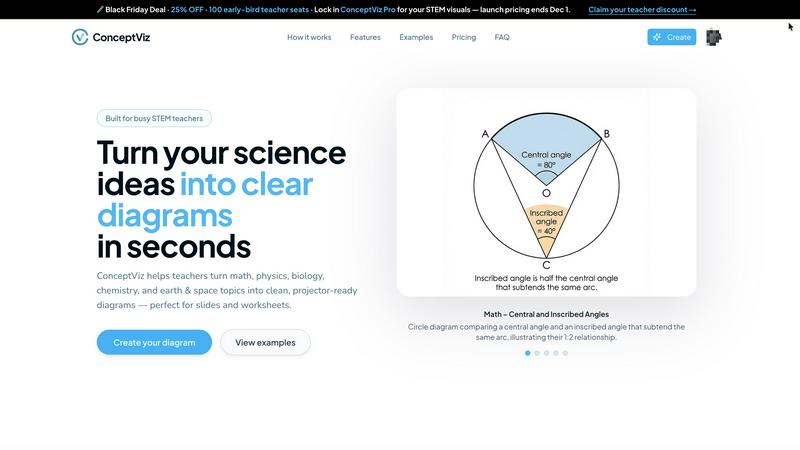
ConceptViz transforms simple text descriptions into clear, classroom-ready science and math diagrams in seconds.
Last updated: March 1, 2026

Proofapp
Streamline design feedback with visual comments directly on your website for faster approvals and fewer revisions.
Last updated: March 4, 2026
Visual Comparison
conceptviz
Proofapp

Feature Comparison
conceptviz
Rapid Diagram Generation
ConceptViz allows users to create clear and precise diagrams in seconds. By simply inputting a short, plain-English description of the desired visual, educators and researchers can obtain professional-quality graphics without any design skills. This feature is essential for those who need to produce visuals quickly and efficiently for lessons or presentations.
Classroom-Ready Visuals
The platform is designed with educators in mind, ensuring that all diagrams are projector-ready and suitable for classroom use. Diagrams are created with high contrast and legible labels, making them easy to read from any distance in a classroom setting. This attention to detail helps enhance the teaching experience and supports student learning.
Subject and Grade Presets
ConceptViz offers a range of presets tailored to different subjects and educational levels. Users can choose from quick presets for physics, biology, chemistry, earth and space sciences, and mathematics, aligned with U.S. grade bands. This feature streamlines the diagram creation process, ensuring that visuals are relevant and appropriate for specific educational contexts.
High-Resolution Downloads
Users can download their generated diagrams in high-resolution PNG format, ensuring that visuals maintain clarity whether used in digital presentations or printed materials. This flexibility allows educators to easily integrate the diagrams into their existing teaching resources, such as PowerPoint presentations or worksheets.
Proofapp
Visual Commenting
With Proofapp, users can leave contextual feedback by simply clicking on a screenshot. This eliminates confusion about the location of comments, as annotations are pinned exactly where they belong. No more vague descriptions like "top left, under the nav."
Multi-Breakpoint Testing
Proofapp automatically captures and reviews websites at both desktop and mobile breakpoints. This feature ensures that feedback is applicable across different devices, streamlining the design review process for teams focused on responsive web design.
Secure Share Links
Users can generate secure, expirable links to share projects with clients. This means that clients can view and comment on designs without needing an account, making it easy to collaborate while maintaining control over access.
Real-time Collaboration
Proofapp facilitates real-time collaboration by allowing team members to see comments and updates instantly. Users can reply, resolve feedback, and track progress together, enhancing teamwork and reducing delays in the revision process.
Use Cases
conceptviz
Enhancing STEM Lessons
Teachers can use ConceptViz to create tailored diagrams that align with their lesson plans, helping to clarify complex scientific concepts for students. By generating visuals that match their instructional style, educators can facilitate a deeper understanding of the subject matter.
Streamlining Research Presentations
Researchers can quickly generate accurate diagrams for their presentations or publications, showcasing their findings with professional visuals. This capability allows them to focus more on content creation and less on the intricacies of graphic design.
Supporting Differentiated Instruction
Educators can create customized visuals that cater to diverse learning styles and levels within a classroom. By using ConceptViz, teachers can develop diagrams that meet the specific needs of their students, enhancing engagement and comprehension for all learners.
Preparing Educational Materials
ConceptViz empowers educators to produce high-quality diagrams for worksheets, handouts, and other instructional materials. This feature saves valuable time in lesson preparation and helps ensure that all educational resources are visually appealing and effective.
Proofapp
Freelancers Collecting Client Feedback
Freelancers can utilize Proofapp to gather precise visual feedback from clients without the hassle of long email threads. By pinning comments directly on designs, they save time and improve client satisfaction.
Agencies Managing Multiple Projects
Agencies can streamline their feedback process across various projects by using Proofapp's multi-page support and real-time collaboration features. This ensures that all team members and clients are on the same page, reducing miscommunication and speeding up project timelines.
Design Teams Seeking Precision
Design teams can benefit from Proofapp's visual commenting and multi-breakpoint testing features, allowing them to receive clear, actionable feedback on their designs. This clarity leads to fewer revisions and a more efficient workflow.
Marketing Teams Reviewing Campaigns
Marketing teams can use Proofapp to review landing pages and campaigns visually, ensuring that all stakeholders can provide input directly on the designs. This leads to more effective marketing materials and improved teamwork.
Overview
About conceptviz
ConceptViz is a revolutionary AI-powered platform designed to redefine the way STEM educators and researchers develop visual content. It addresses a significant challenge faced by educators: the demand for clear, accurate, and classroom-ready diagrams that effectively communicate complex scientific concepts. With ConceptViz, users can generate high-quality visuals in mere seconds by simply typing plain English descriptions of what they need. This eliminates the frustration of sifting through countless online images or grappling with complicated drawing software. The platform caters to a wide array of educational needs, spanning subjects such as physics, biology, chemistry, earth and space sciences, and mathematics, from K-12 to university-level research. ConceptViz’s core value proposition lies in its ability to enhance efficiency and pedagogical precision, empowering educators to scale their lesson preparation, improve student understanding through customized visuals, and reclaim precious time for instruction and engagement. By transforming the landscape of STEM education, ConceptViz is a strategic asset that accelerates the communication of intricate ideas.
About Proofapp
Proofapp is a cutting-edge visual feedback and website review platform designed to enhance collaboration among designers, developers, and their clients. By allowing users to upload any website URL, Proofapp automatically captures high-quality screenshots for both desktop and mobile views. This innovative tool facilitates direct communication by enabling reviewers to pin comments precisely where they are needed, eliminating the frustration of vague feedback. With features such as real-time collaboration, multi-page support, and seamless Slack integration, Proofapp transforms the feedback process into a streamlined experience. It's perfect for freelancers, agencies, and small teams seeking to increase productivity and reduce miscommunication. Say goodbye to endless email chains and unproductive revisions, and embrace a solution that keeps all feedback organized, visual, and actionable.
Frequently Asked Questions
conceptviz FAQ
How does ConceptViz generate diagrams?
ConceptViz uses advanced AI technology to interpret plain-English descriptions and transform them into accurate, high-quality diagrams. This process allows users to quickly create visuals without needing any design expertise.
Can I use ConceptViz for different educational levels?
Yes, ConceptViz is designed to cater to a wide range of educational levels, from K-12 to university research. Users can select appropriate subject and grade presets to ensure their diagrams are relevant and suitable for their audience.
Is there a free trial available for ConceptViz?
Yes, ConceptViz offers a free 4K Ultra HD trial version with no credit card required. This allows users to explore the platform and generate diagrams before committing to a paid plan.
What file formats are available for downloading diagrams?
Diagrams generated by ConceptViz can be downloaded in high-resolution PNG format, making them suitable for both digital presentations and printed materials. This ensures that users can easily incorporate visuals into various educational resources.
Proofapp FAQ
How does Proofapp improve the feedback process?
Proofapp enhances the feedback process by providing a visual platform where comments can be pinned directly onto screenshots. This minimizes miscommunication and ensures that feedback is actionable and easy to understand.
Is there a free trial available?
Yes, Proofapp offers a generous free trial that allows users to access full features for 60 days without requiring a credit card. This lets potential users explore the platform and see its benefits firsthand.
Can clients leave feedback without an account?
Absolutely! Clients can leave feedback via secure, expirable links generated by Proofapp, allowing them to comment directly on designs without the need to create an account.
What kind of security does Proofapp offer?
Proofapp prioritizes security with features like role-based permissions and audit logs, ensuring that all data is handled securely. This gives users peace of mind while collaborating with team members and clients.
Alternatives
conceptviz Alternatives
ConceptViz is an innovative AI-powered platform designed to streamline the creation of science and math diagrams for educators and researchers. By converting simple text descriptions into visually appealing, classroom-ready diagrams, it addresses a significant pain point for STEM professionals who often spend excessive time searching for suitable visuals or grappling with complex design software. Users commonly seek alternatives to ConceptViz for various reasons, including pricing structures, specific feature sets, and compatibility with their preferred platforms or workflows. When evaluating alternatives, it's essential to consider the ease of use, the quality of output, and how well the tool aligns with your educational needs and goals.
Proofapp Alternatives
Proofapp is a visual feedback and website review platform designed to enhance collaboration among designers, developers, and their clients. By allowing users to upload website URLs and automatically generating screenshots for both desktop and mobile views, Proofapp streamlines the feedback process. This helps users eliminate confusion typically associated with scattered emails and vague notes, making it easier to manage revisions and feedback in an organized manner. Despite its many strengths, users often seek alternatives to Proofapp for reasons such as pricing, feature sets, or specific platform requirements. When choosing an alternative, consider factors such as ease of use, integration capabilities, and the ability to handle multi-page projects. It’s essential to find a solution that aligns with your unique workflow and provides the necessary tools to enhance your design review process effectively.