
ChatIMG.io vs RemoveTexts
Side-by-side comparison to help you choose the right product.

ChatIMG.io
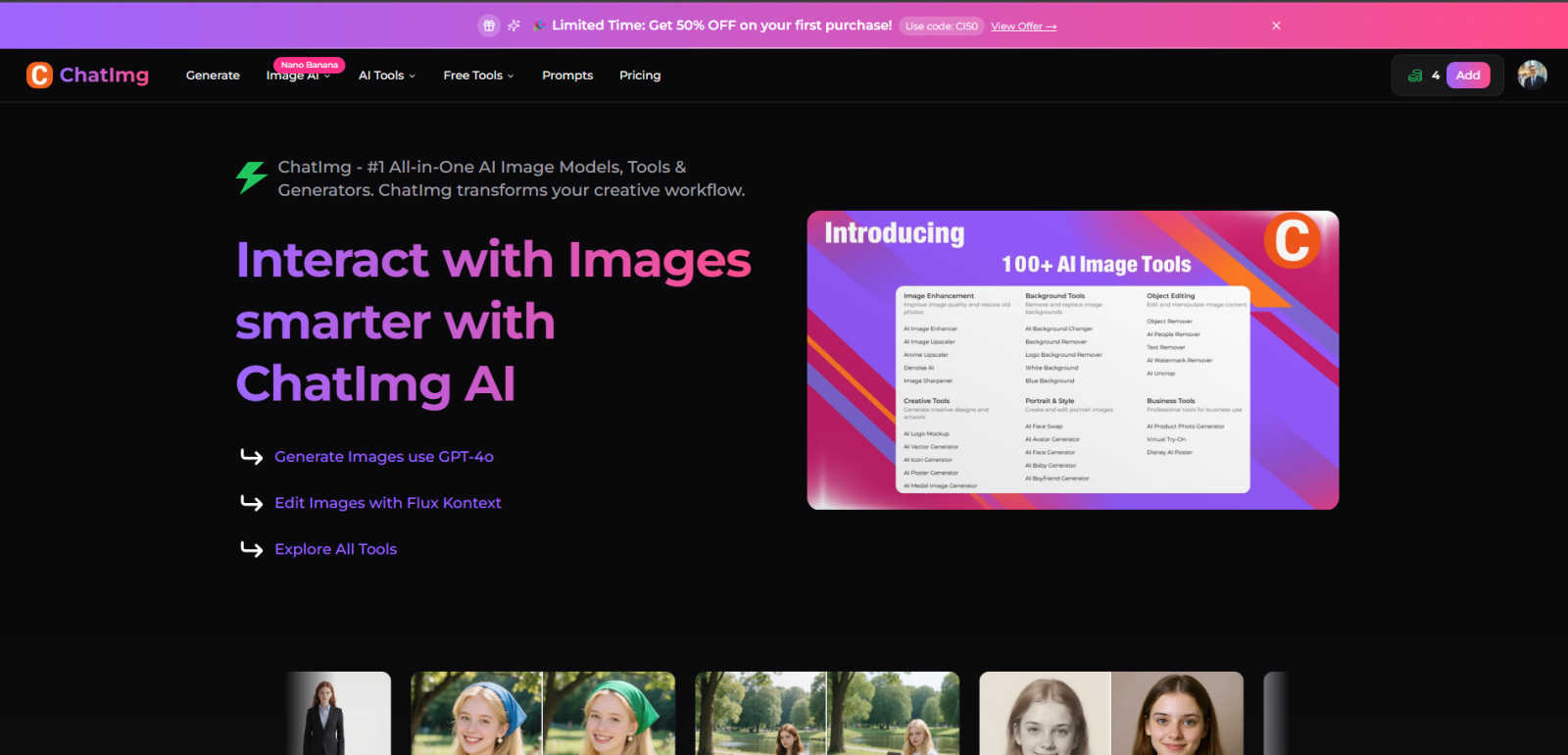
ChatIMG.io is your all-in-one AI platform to effortlessly generate, enhance, and edit images.
Last updated: March 1, 2026

RemoveTexts
RemoveTexts is an AI tool that instantly erases text from images, simplifying your design process without the need for Photoshop skills.
Last updated: March 11, 2026
Visual Comparison
ChatIMG.io
RemoveTexts

Feature Comparison
ChatIMG.io
Multi-Model AI Engine
ChatIMG.io provides unparalleled creative flexibility by integrating top-tier AI models like GPT-4o for hyper-realistic imagery, Flux Kontext for intuitive language-based editing, and Recraft V3 for vector art and consistent styles. This multi-model approach ensures you have the perfect tool for any project, from photorealistic product shots to artistic illustrations, all within a single platform. It eliminates the need to juggle multiple subscriptions and interfaces.
Studio-Quality Generation & Editing
The platform is built to deliver professional, commercial-grade output instantly. Tools like AI Outpainting to extend image boundaries, professional headshot generators, and advanced object removal produce results that rival traditional studio work. Every feature is optimized for high-resolution, ready-to-publish visuals that maintain quality across social media, print, and advertising mediums.
Comprehensive Creative Toolkit
Beyond generation, ChatIMG.io offers a full suite of over 20 specialized tools for every visual task. This includes practical utilities like Background Remover and Document Translator, transformative features like AI Hairstyle Changer and Video Translator, and innovative creators like the Action Figure and Ghibli-style generators. It's an all-in-one hub that evolves with your creative and business needs.
Scalable Cloud Infrastructure & Community
Leveraging GPU-optimized cloud infrastructure, ChatIMG.io delivers stunning images in under 10 seconds, ensuring your workflow never slows down. Coupled with a vibrant, supportive community of 2M+ creators, 24/7 support, and extensive tutorials, the platform provides both the raw power and the collaborative ecosystem needed for sustained creative growth and scaling.
RemoveTexts
Paint to Remove
The Paint to Remove feature allows users to precisely control which text is eliminated by simply brushing over specific areas in the image. This level of control ensures that only the unwanted text is targeted, maintaining the integrity of the surrounding visuals.
Auto Remove All
With the Auto Remove All feature, users can automatically detect and erase all text elements in an image with just a single click. This feature leverages the power of AI to quickly process images, saving time while delivering impeccable results.
Edit & Replace Text
The Edit & Replace Text option empowers users to not only remove text but also substitute it with new content. The AI intelligently matches the original font style, allowing for seamless integration of the new text into the image.
Remove Objects
The Remove Objects feature extends beyond text removal, enabling users to eliminate unwanted visual elements such as logos or people from their images. This function is particularly useful for marketers looking to create clean product shots or presentations.
Use Cases
ChatIMG.io
Scaling Social Media & Marketing Content
Marketing teams and content creators can exponentially increase their output by generating dozens of unique, on-brand visuals for campaigns, posts, and ads in minutes. Use the Text-to-Image tool for concept visuals, the AI Image Enhancer to perfect photos, and create consistent branded artwork with Recraft V3, transforming content calendars from a bottleneck into a growth lever.
Rapid Product Prototyping & Mockups
Entrepreneurs and e-commerce businesses can accelerate go-to-market strategies by creating photorealistic product mockups and prototype images without costly photoshoots or 3D modeling. Generate lifestyle shots of products in context, remove backgrounds for clean catalogs, and use AI Inpainting to modify design details instantly, validating ideas and driving sales faster.
Professional Media & Personal Branding
Freelancers, consultants, and professionals can build a powerful personal brand by creating studio-quality headshots, restoring old portfolio photos, and generating diverse portrait poses. The AI Hairstyle Changer and professional tools allow for A/B testing of looks and maintaining a polished, consistent visual identity across all professional platforms with zero agency cost.
Global Content Localization
Businesses expanding into new markets can use ChatIMG.io's translation suite to break down language barriers. The Video Translator dubs videos into multiple languages, the Document Translator handles text files, and the Image Translator extracts and translates text from within graphics, enabling efficient and scalable localization of marketing materials and user-generated content.
RemoveTexts
E-commerce Product Photos
E-commerce sellers can utilize RemoveTexts to clean up product images by removing watermarks or distracting text overlays. This results in polished visuals that enhance product appeal and boost conversion rates.
Legal Document Redaction
Legal professionals can employ RemoveTexts to redact sensitive information from documents and images. With the ability to remove date stamps and personal details, they can ensure privacy while maintaining the document's professional appearance.
Social Media Content Creation
Content creators on social media can benefit from RemoveTexts by quickly editing out unwanted text from images or videos. This allows them to maintain a consistent and professional aesthetic across their platforms without time-consuming editing.
Academic Research and Presentations
Researchers and students can use RemoveTexts to prepare clean images for presentations or publications by removing irrelevant text or watermarks. This ensures that their work appears polished and credible, enhancing their academic impact.
Overview
About ChatIMG.io
ChatIMG.io is the definitive AI-powered visual content platform engineered to scale creativity and accelerate growth. It democratizes professional-grade visual production by removing technical barriers, enabling anyone—from solo entrepreneurs to enterprise marketing teams—to generate, edit, and transform images and videos at unprecedented speed. The platform integrates the world's most advanced AI models, including GPT-4o, Flux Kontext, and Recraft V3, into a unified suite of over 20 specialized tools. This isn't just text-to-image; it's a comprehensive creative engine for generating new concepts, editing photos with natural language, restoring old images, translating video audio, creating product mockups, and much more. Designed for the modern creator, marketer, and growth-focused business, ChatIMG.io's core value is turning hours of design work into seconds of AI-powered execution. With a thriving community of over 2 million users and enterprise-grade security, it provides the scalable infrastructure to build a powerful visual identity, produce limitless marketing assets, and dominate the digital landscape without scaling your budget or team.
About RemoveTexts
RemoveTexts is a cutting-edge AI-powered image editing tool designed to effortlessly remove unwanted text from images in mere seconds. With its user-friendly interface, you can upload any image and utilize advanced generative AI to eliminate watermarks, subtitles, captions, and branded overlays without requiring any Photoshop skills. The technology behind RemoveTexts utilizes deep learning inpainting, ensuring that backgrounds are intelligently reconstructed, resulting in clean, professional-grade images. Ideal for creators, marketers, designers, and anyone needing quick and effective text removal, RemoveTexts has gained the trust of over 100,000 users globally. This innovative tool supports various languages and works seamlessly with multiple image formats, making it an invaluable asset for anyone who values clean visuals and efficiency.
Frequently Asked Questions
ChatIMG.io FAQ
What AI models does ChatIMG.io use?
ChatIMG.io leverages a cutting-edge multi-model engine to give you the best output for any task. This includes OpenAI's GPT-4o for detailed, realistic image generation, Stability AI's Flux Kontext for intuitive language-based editing and combining, and Recraft V3 for generating vector graphics and maintaining artistic consistency. We continuously integrate leading models to keep you at the forefront of AI capability.
Is the content I create with ChatIMG.io safe for commercial use?
Yes. Content generated on ChatIMG.io is designed for commercial application, providing studio-quality output suitable for marketing, advertising, and product design. We employ enterprise-grade encryption and secure processing to ensure your intellectual property and creative work remain private and protected. Always review specific output for your intended use case.
How fast is the image generation process?
Speed is a core pillar of our platform. Thanks to our optimized, GPU-powered cloud infrastructure, ChatIMG.io can generate high-resolution, detailed images in under 10 seconds on average. This unmatched performance is built to keep pace with demanding creative workflows and high-volume content production needs, turning ideas into assets almost instantly.
Can I edit existing images with ChatIMG.io?
Absolutely. ChatIMG.io excels at intelligent image editing. Using tools like Flux Kontext, you can edit photos with simple natural language instructions (e.g., "change the sky to sunset"). Our suite also includes precise editors like AI Inpainting/Outpainting, object and background removal, face swapping, and photo restoration, giving you complete creative control over any image.
RemoveTexts FAQ
How does RemoveTexts work?
RemoveTexts utilizes advanced AI-powered deep learning inpainting technology to analyze surrounding pixels and intelligently reconstruct the background after text removal. This results in seamless, professional-grade images.
What image formats does RemoveTexts support?
RemoveTexts supports JPG, PNG, and WebP image formats, accommodating user needs across various platforms. Users can upload images up to 10MB for processing.
Can I remove watermarks with RemoveTexts?
Yes, RemoveTexts is specifically designed to remove watermarks and other unwanted text elements from images. The AI ensures that the background is reconstructed seamlessly, leaving no traces behind.
Is RemoveTexts suitable for non-designers?
Absolutely! RemoveTexts is designed for users of all skill levels. With its intuitive interface, anyone can easily remove text from images without requiring any design expertise.
Alternatives
ChatIMG.io Alternatives
ChatIMG.io is a leading all-in-one AI platform in the generative art and image editing category. It empowers creators, marketers, and businesses to generate, enhance, and edit professional-grade visuals using advanced AI models, all from a single, streamlined interface. Users often explore alternatives for various reasons, such as seeking different pricing models, specific niche features not covered, or a platform that aligns more closely with their unique workflow and integration needs. The AI visual creation space is rapidly evolving, offering many paths to scale your visual output. When evaluating alternatives, consider the core AI models available, the depth of editing tools, output quality and consistency, and how well the platform supports your specific use cases—from social media assets to product mockups. The right tool should remove technical barriers while accelerating your creative and business growth.
RemoveTexts Alternatives
RemoveTexts is an innovative AI-powered tool designed to effortlessly remove unwanted text from images, making it a vital asset in the realm of image editing. As a member of the image and photo editing category, it caters to a diverse range of users, including creators, marketers, and designers who need quick and effective solutions for cleaning images. While RemoveTexts offers powerful features, users often seek alternatives for various reasons, such as pricing structures, feature sets, or compatibility with specific platforms. When choosing an alternative to RemoveTexts, it’s crucial to consider the ease of use, the quality of output, and whether the tool meets specific needs such as language support and advanced editing capabilities. Users should also evaluate the pricing model to ensure it aligns with their budget while providing the necessary functionality for their projects.